

Complete, signed applications from the first visit.
Seven guided steps take the agent from consent to signature. What arrives at the office is ready for review.
Request a demo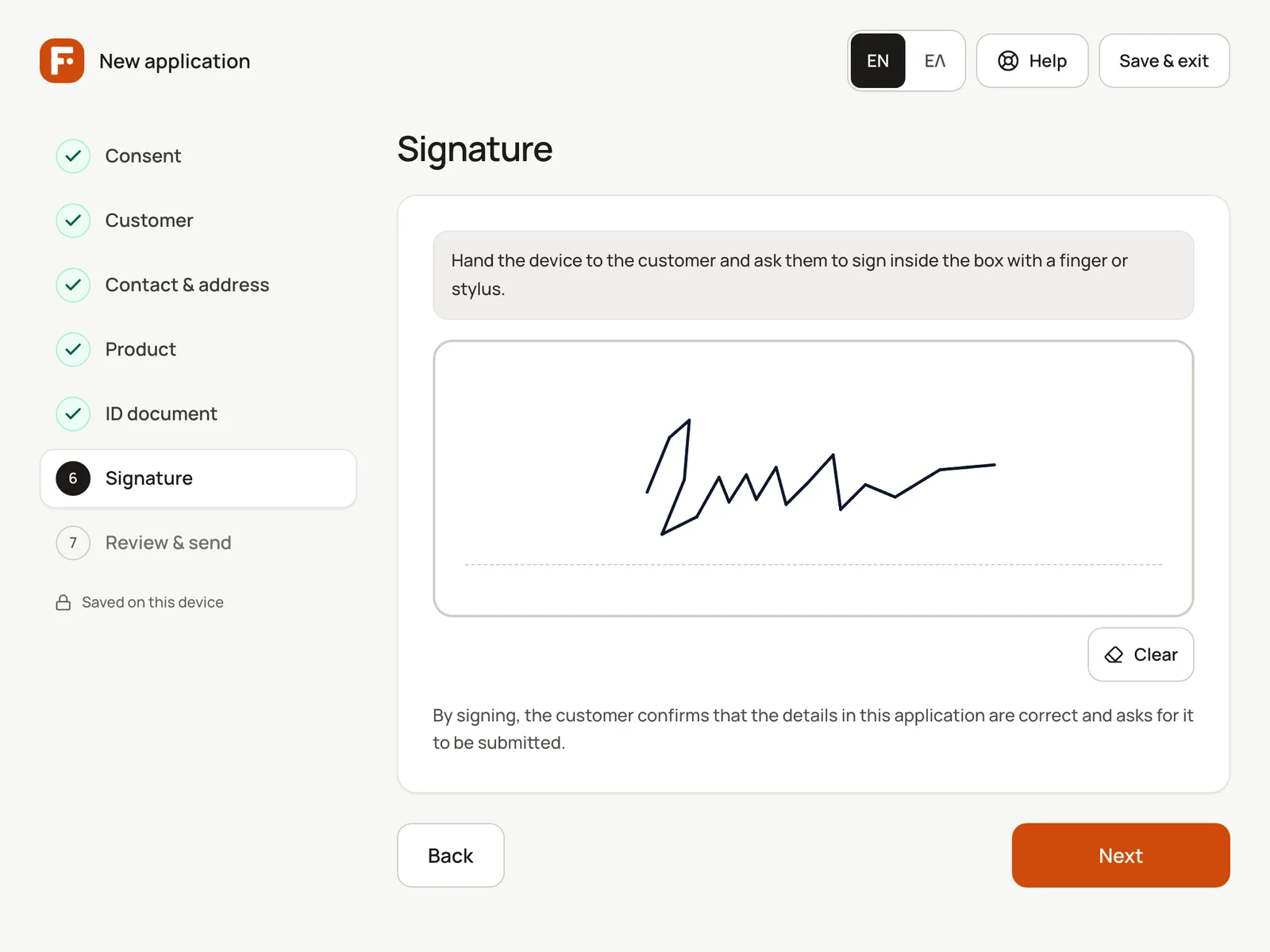
The seven steps
Real screens of the app, with sample data.
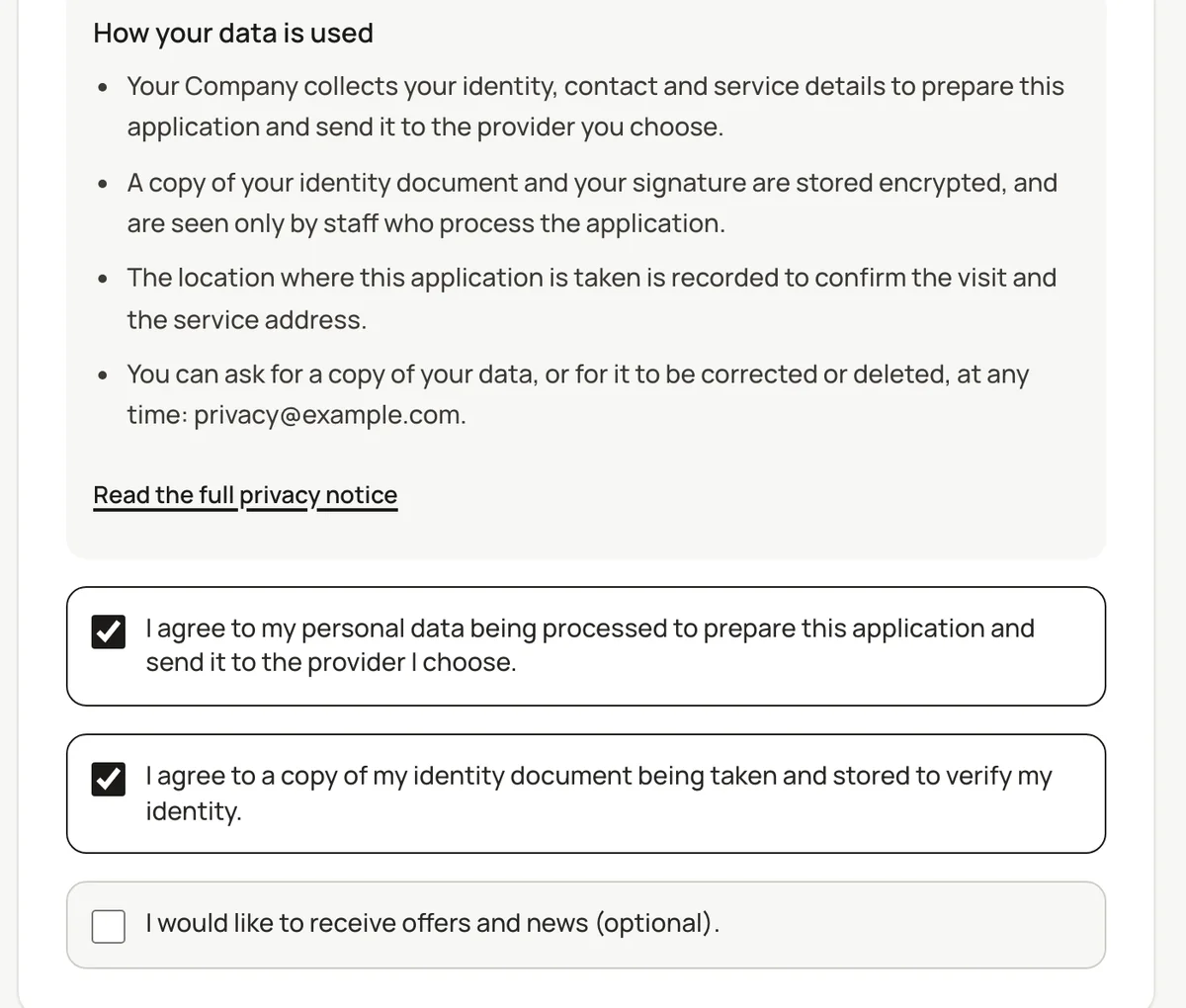
1Consent comes first
The customer reads the notice on the tablet and agrees. Until then nothing is typed and nothing is saved.
- The time and the version of the notice are kept with the application
- Marketing consent is separate and optional
2Details checked as they are typed
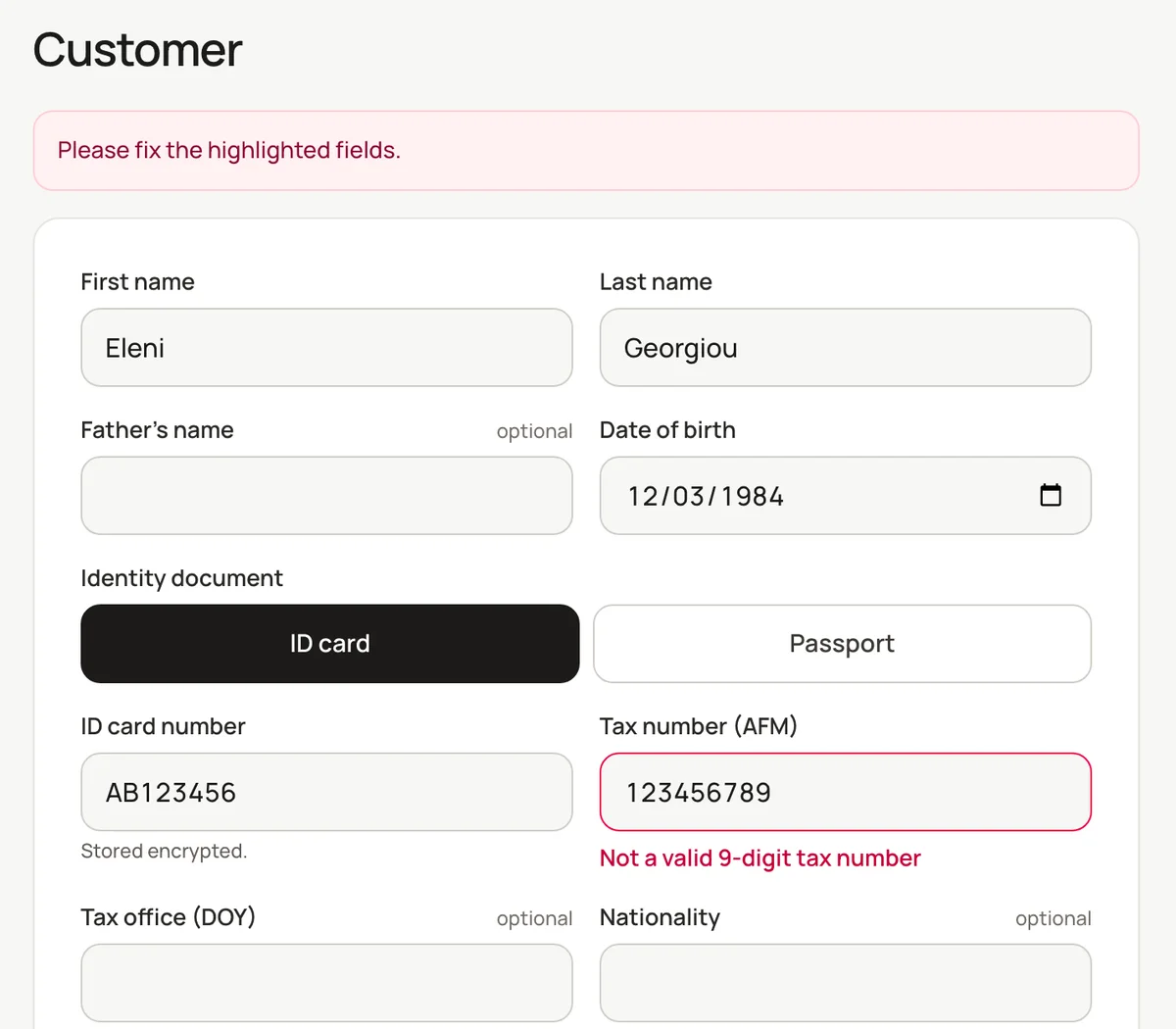
Name, date of birth, ID or passport, and tax number. A wrong tax number is caught at the door, not days later.
- The tax number's check digit is verified on the spot
- Identity numbers are stored encrypted
3The address, from where you stand
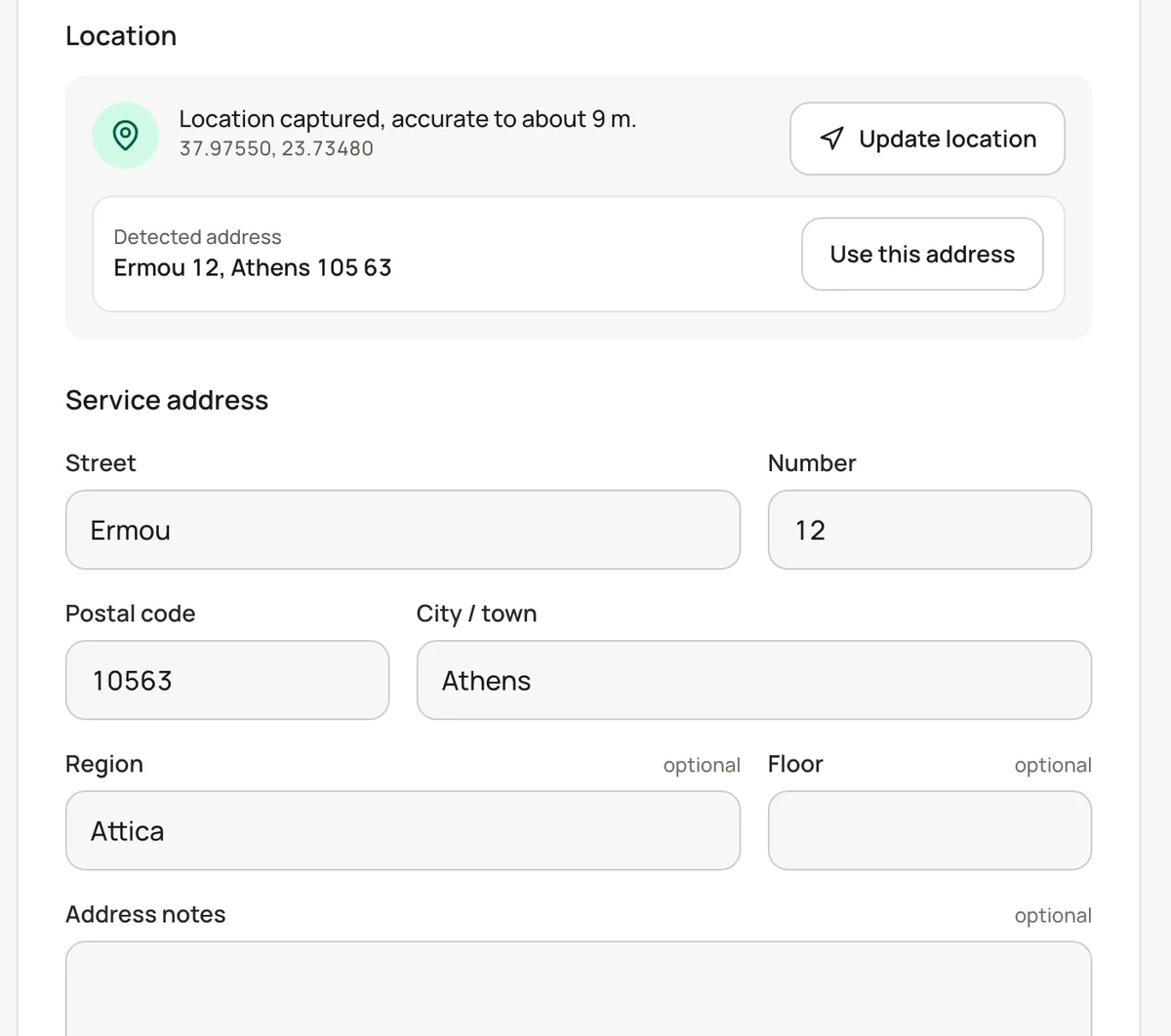
GPS is read once, when the form opens, and fills in the address. The agent can always correct it.
- Every application carries the place and time it was taken
- Location is never followed continuously
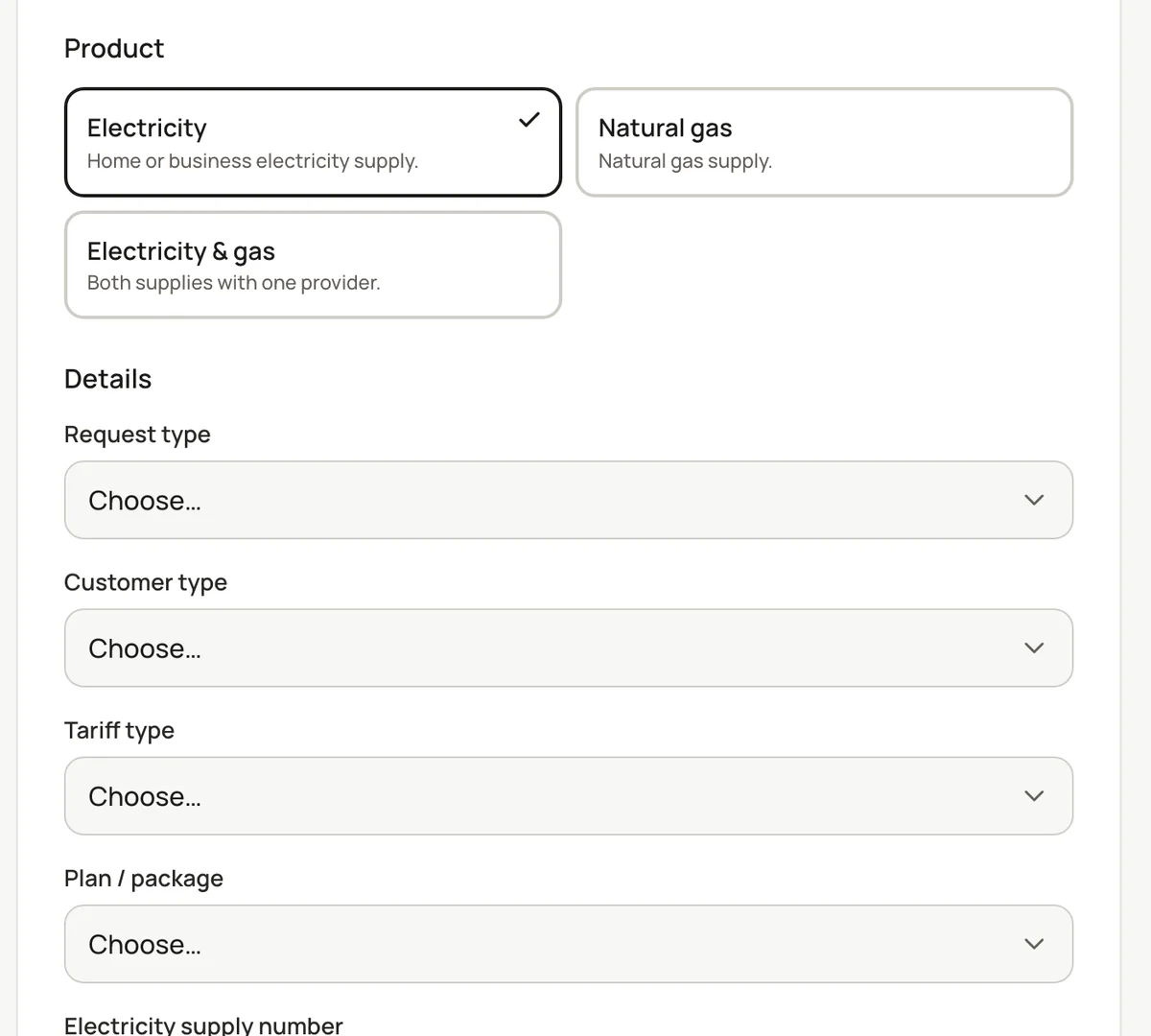
4Only the questions that apply
Energy or telecom, then the provider, plan and details. Questions appear only when the chosen product needs them.
- Driven by a product catalogue
- The IBAN is asked only for direct debit
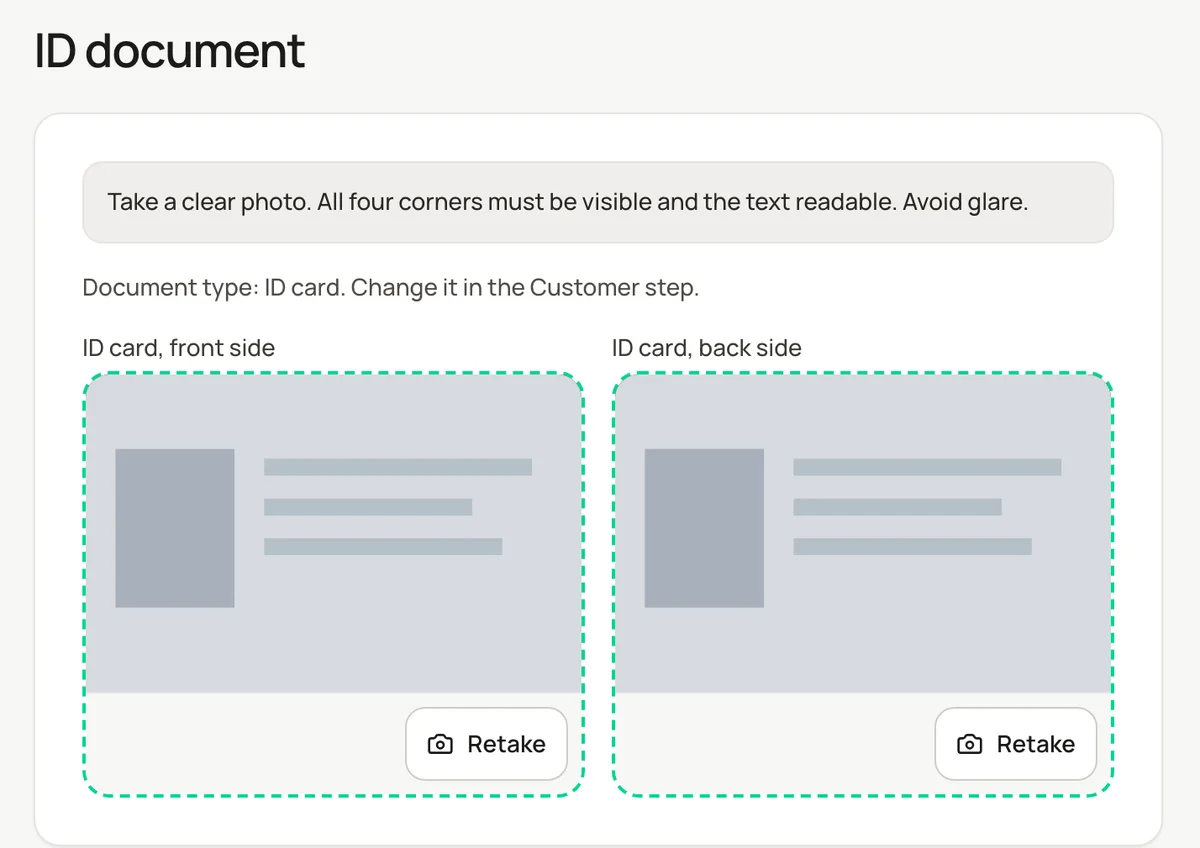
5ID photographed on the spot
Both sides of the ID card, or the passport's photo page, taken with the tablet's camera.
- Compressed before sending
- Stored encrypted, seen only by those who process the application
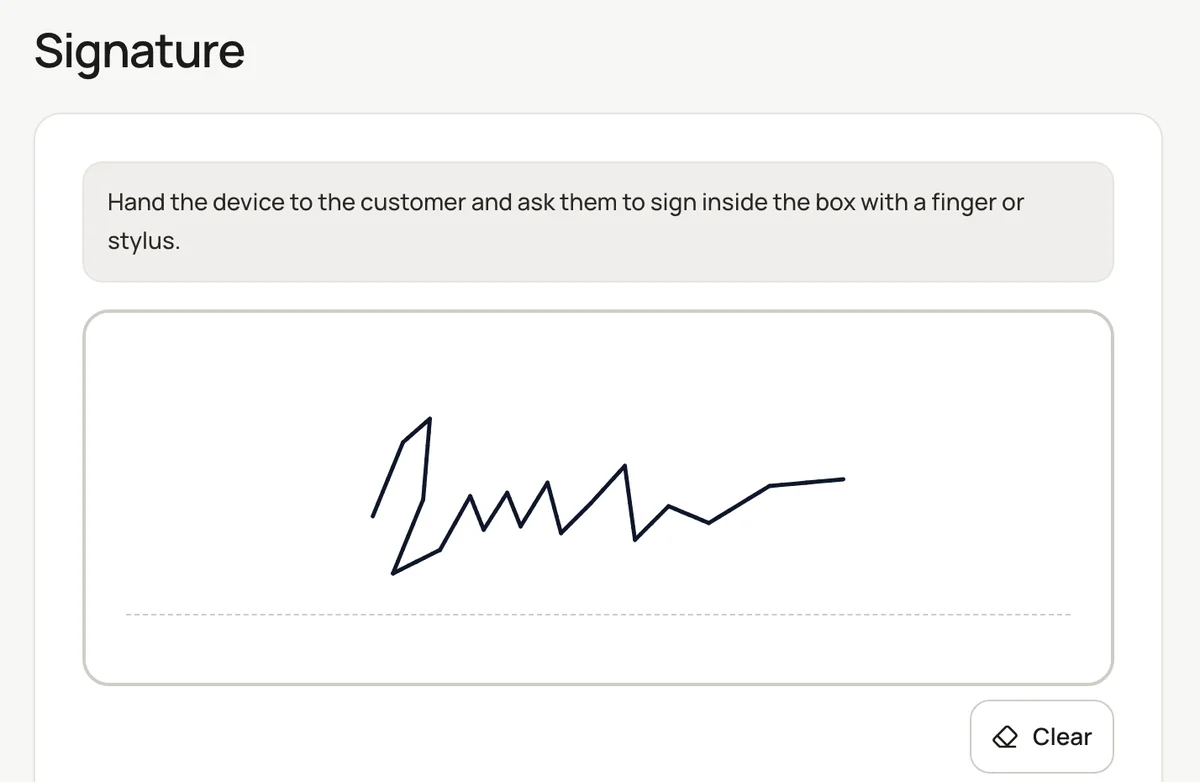
6Signed on the screen
The customer signs with a finger or a stylus. No paper to carry back, scan or lose.
- The signature is stored encrypted
- Signing again takes one tap
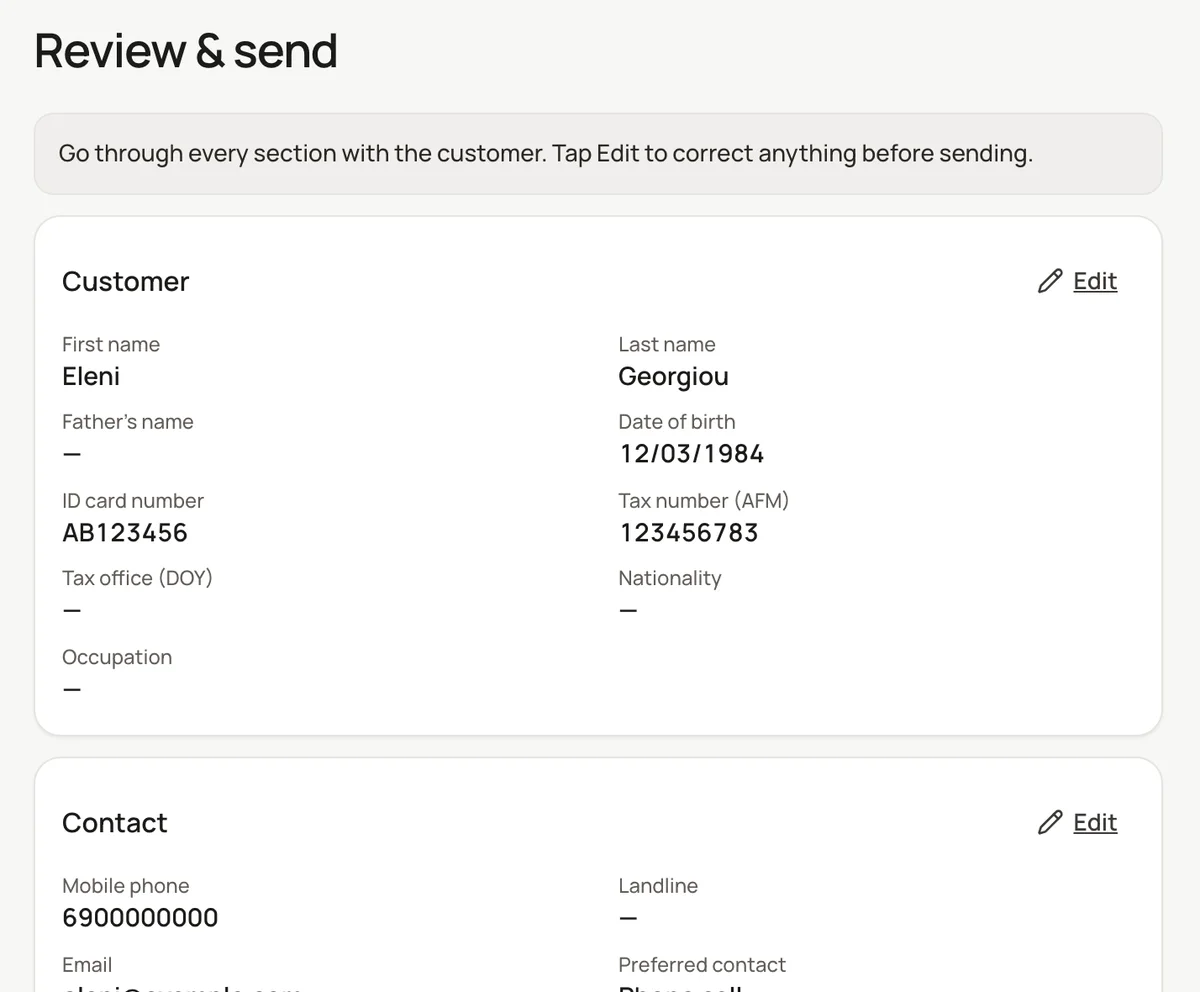
7One last look, then send
Every section is shown again beside an edit link. Then it is sent: now, or as soon as the signal returns.
- A sent application is never edited, only replaced and signed again
- A retry can never create a duplicate
No signal? Keep selling.
Stairwells, basements, villages. Turn the signal off and see what happens to the applications you take.
Try it: turn the signal off
Signal on. Applications go straight to the office.
At the door
The agent's tablet
At the office
Last 14 days
One dot is one applicationToday 2
- Approved
- Awaiting a decision
- Rejected or cancelled
- Waiting on the tablet
A demonstration with sample data, not live figures.
What happens after it is sent
Team leaders and managers move each application through review. A sent application is never edited: to correct one, the agent cancels it, duplicates it into a new form, and the customer signs again.
- Submitted
- In review
- Approved
- Activated
- Rejected
- Cancelled
Good to know
- The first sign-in on a device needs a connection.
- On iPhone and iPad the app has to be open for waiting applications to send, because iOS has no background sync.
- The app installs from the browser on tablets, phones and computers.
Want to see the form with your products?
Tell us what you sell and how you take applications today.