Skip to content

Applications signed at the door. Every area, in view.

FieldSales is the app for door-to-door energy and telecom sales. Agents collect complete applications on a tablet; managers follow every area, team and agent.

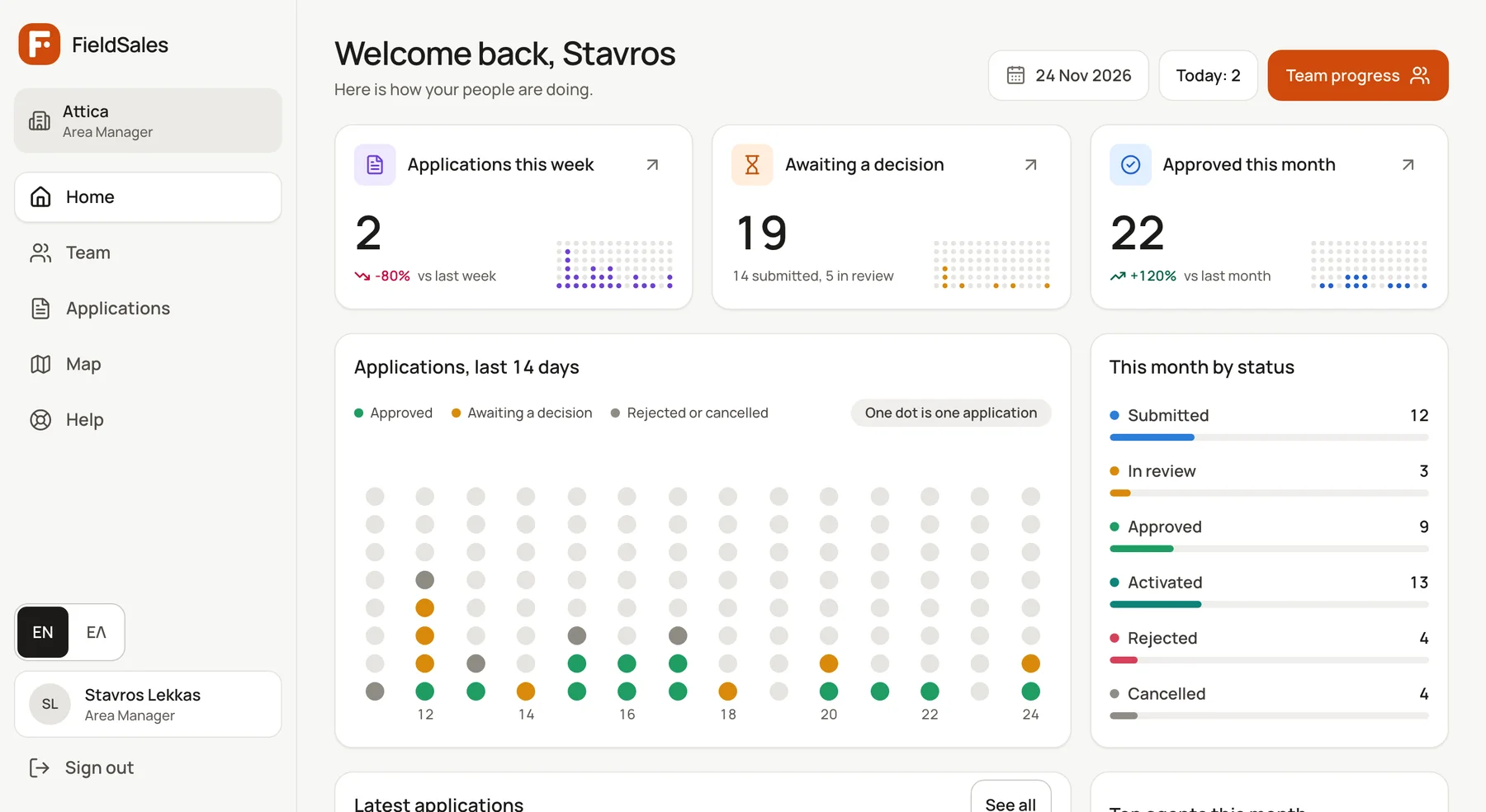
An area manager's dashboard: applications this week, awaiting a decision and approved, with a fourteen-day dot chart
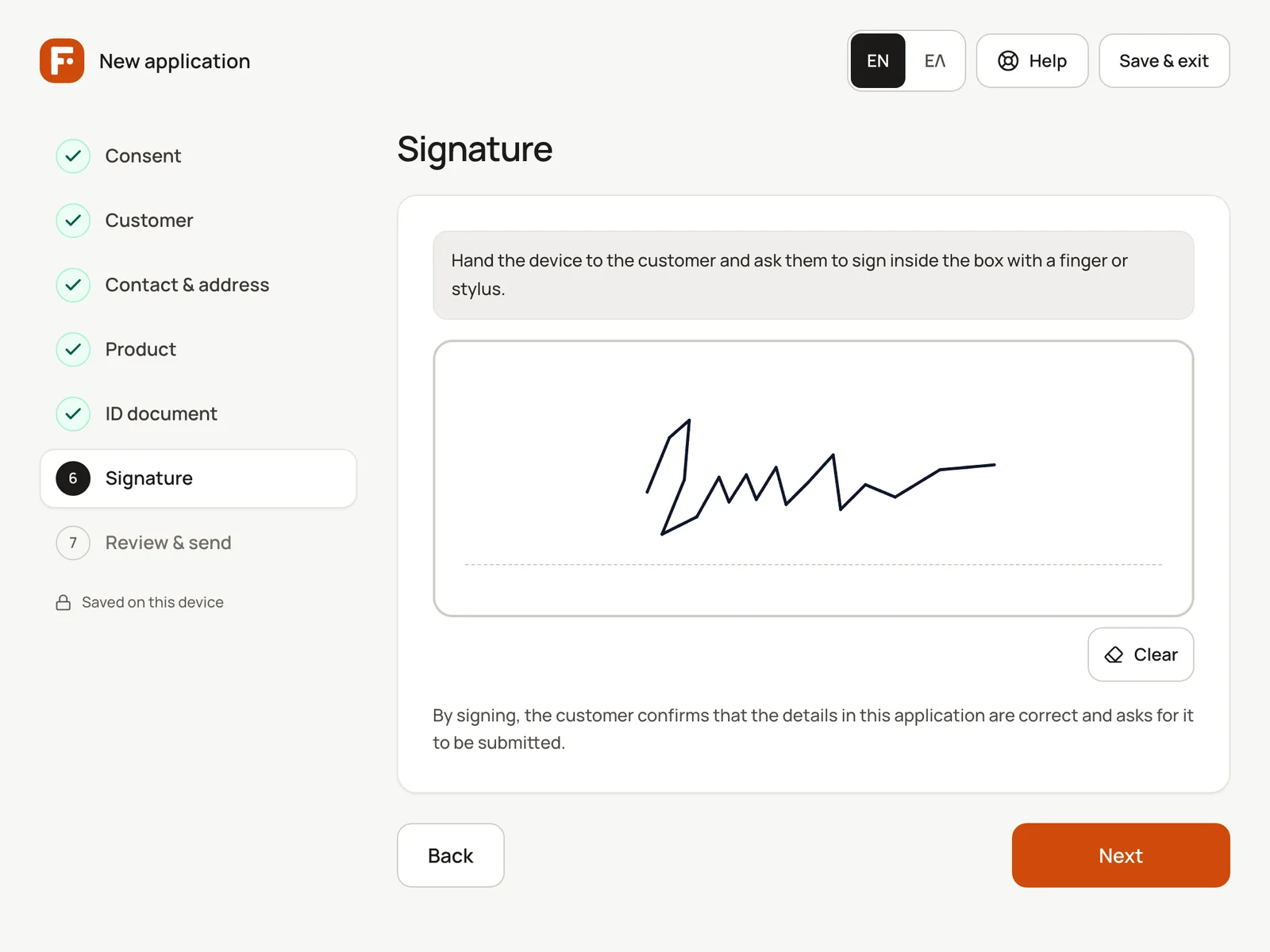
The signature step of the application form on a tablet, with a customer's signature

Real screens of the app, with sample data.

The visit is over. Is the application?

A sale counts when the application arrives complete, signed and on the right desk. That is where paper and spreadsheets lose it.

Paper forms

How the form is filled in
By hand; gaps are found later, at the office
When there is no signal
The form gets filled in, but nothing is sent
How you know who needs help
When the papers come back

Spreadsheets and chat

How the form is filled in
Photos and messages, typed in again by someone
When there is no signal
The message waits, or is forgotten
How you know who needs help
When someone updates the sheet

FieldSales

How the form is filled in
Step by step, checked at the door, signed on screen
When there is no signal
It waits encrypted on the tablet and sends itself
How you know who needs help
At a glance, by area, team and agent

Collect the whole application in one visit

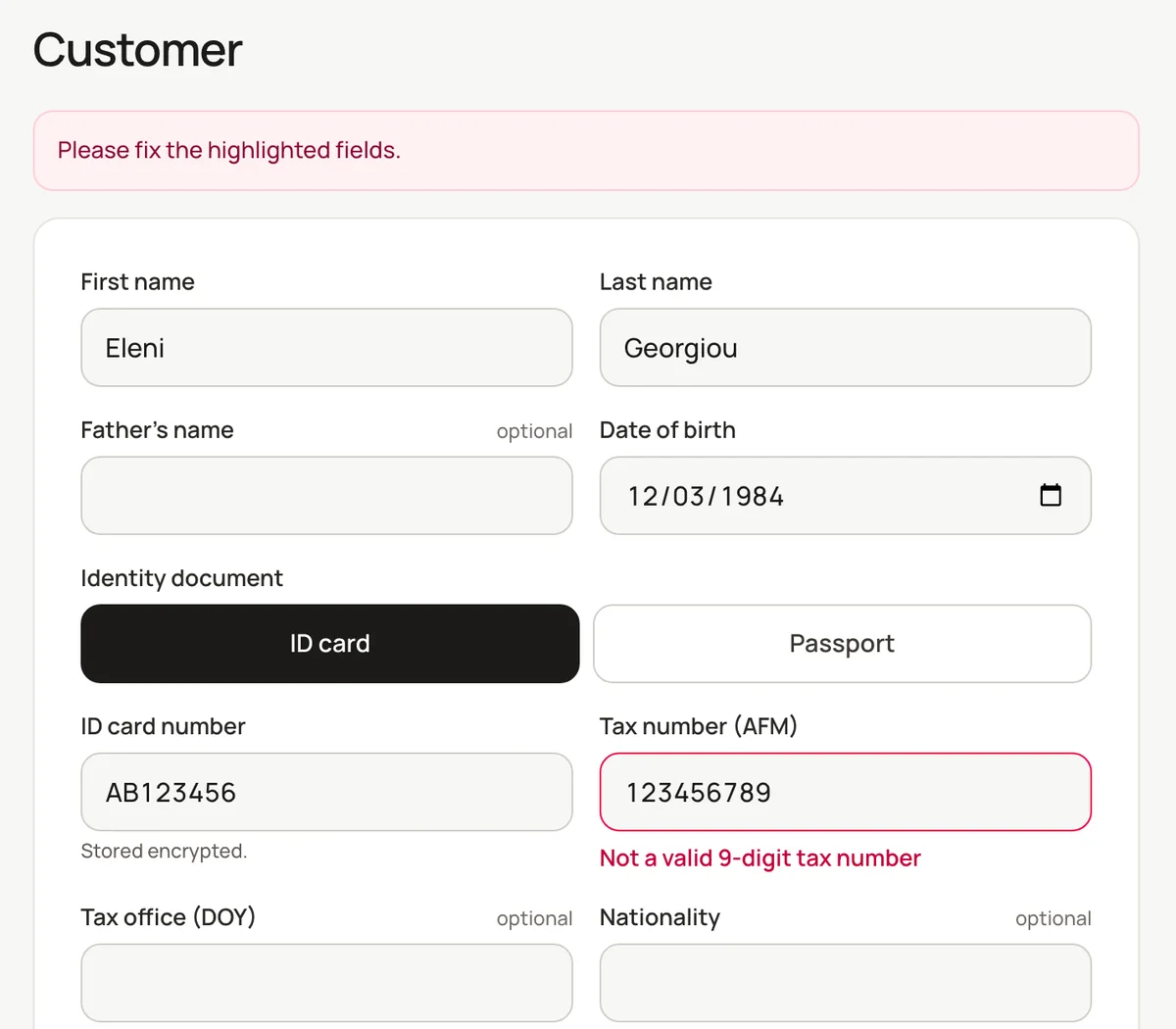
The agent follows seven short steps. Each answer is checked as it is entered, and only the questions the chosen product needs are asked.

  • Consent before anything is typed
  • Address filled in from GPS
  • ID photographed and signature drawn on the tablet
  • Works with no signal
How applications are collected
The customer step of the application form

Follow agents in every area

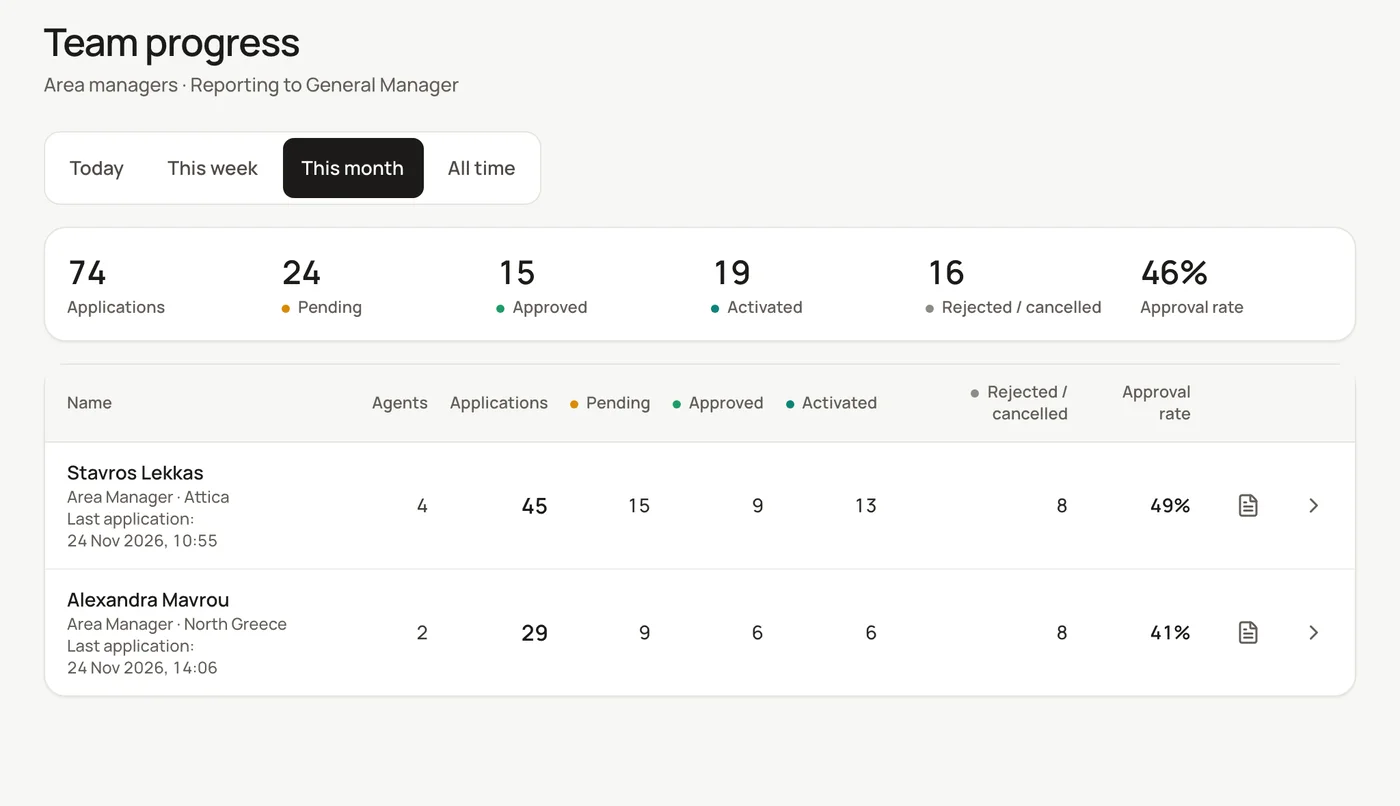
Open an area, then a team, then one agent. Applications, what is pending, what was approved and the approval rate are there at every level.

  • Progress by area, team and agent
  • Today, this week, this month or all time
  • Where and when each application was taken
  • Each manager sees only their own people
How teams and areas are followed
The team progress table, listing the area managers with their applications and approval rate

One country, all your areas

Compare the areas, then open one to see its people and this month's applications.

All areas14 team leaders, 64 agents

348Applications this month

58%Approval rate

  • Approved 203
  • Awaiting a decision 96
  • Rejected or cancelled 49

In the list one dot is one application; on the map a dot is a place, coloured by its area's outcomes. A sample organisation, not live figures. The areas are yours to define.

Questions and answers

Does it really work with no signal?

Yes. The form opens and works offline. Finished applications wait encrypted on the tablet and send themselves when the connection returns. The first sign-in on a device needs a connection.

Which products does it cover?

Energy (electricity, natural gas, dual) and telecom (mobile, landline and internet, pay TV, combined packages). The form is driven by a product catalogue, so each product asks its own questions.

What do agents need?

A tablet or a phone with a browser. FieldSales installs from the browser; there is no app store. On iPhone and iPad the app has to be open for waiting applications to send.

Can a mistake be corrected after sending?

A sent application is never edited. The agent cancels it, duplicates it into a new form, fixes the details and the customer signs again. The new one links back to the one it replaces.

See it with your own way of working.

Tell us how your teams are organised and what you sell. We will show you the visit, the areas and the manager's view.

optional
optional
optional
optional

For example: what you sell, how your teams are organised, what you use today.

We use your details only to answer you, and keep them for 12 months.

Privacy notice